

Pretty much every small store has the same folder. It’s full of product videos from a year or two back. Somebody shot them on their phone back then, they worked fine, and after that nobody looked at them again. Now there’s a campaign coming, zero budget for a shoot, and someone goes, “Can’t we just use the old ones?”
Usually? Yeah. Same product, and the demo still shows how it works. It’s just that the video looks kind of tired beside whatever the competition put up last week. Bit soft, bit grainy, and the label’s not as sharp as it could be. And shoppers do notice that stuff. A fuzzy clip makes people wonder if the colour’s even right. That’s exactly the sort of thing a good AI enhancer sorts out, and it takes a few minutes, not a day in a studio.
Step 1: Sort Your Footage First
Don’t touch any tools yet. Just scroll the folder and pull out the ones worth saving. Play them on your phone like a customer would, forget the editing timeline. Good candidates are in focus, decently lit, not wobbly, and they show packaging you’re still selling. And don’t worry if a clip is a few years old or looks a bit soft. As long as the product still looks the same, Wink can sharpen it up in a few seconds, so there’s no need to reshoot.
While you’re watching, notice what’s actually off. It’s usually one of a handful of things. Detail on the product goes mushy once the clip’s cropped square or vertical. The colour’s a bit dull, or the background has that grey, grainy look from indoor light. A creator’s UGC clip feels right but shakes a little. Or the file’s an old 720p export and the original vanished somewhere along the way.
Good news is, every one of those is fair game. Soft, grainy, old and low-res is exactly the kind of clip a quick cleanup brings back to life. Trim the dead seconds off the start and end first, though. No point cleaning up footage nobody’s going to watch.
Step 2: Pick a Simple Workflow
For this job, Wink made sense. Meitu makes it, and it does photo and video cleanup in the same place. It runs in the browser on your phone or laptop, and there’s an app and a desktop version too. If someone on your team already edits in Premiere Pro, there’s a plug-in for that as well.
Two features are especially handy for store work. Got twenty old clips? Drop them in as one batch, no need to do them one at a time. And once a video’s done you can grab a still from it, which comes in handy for thumbnails, or when a product page is one photo short.
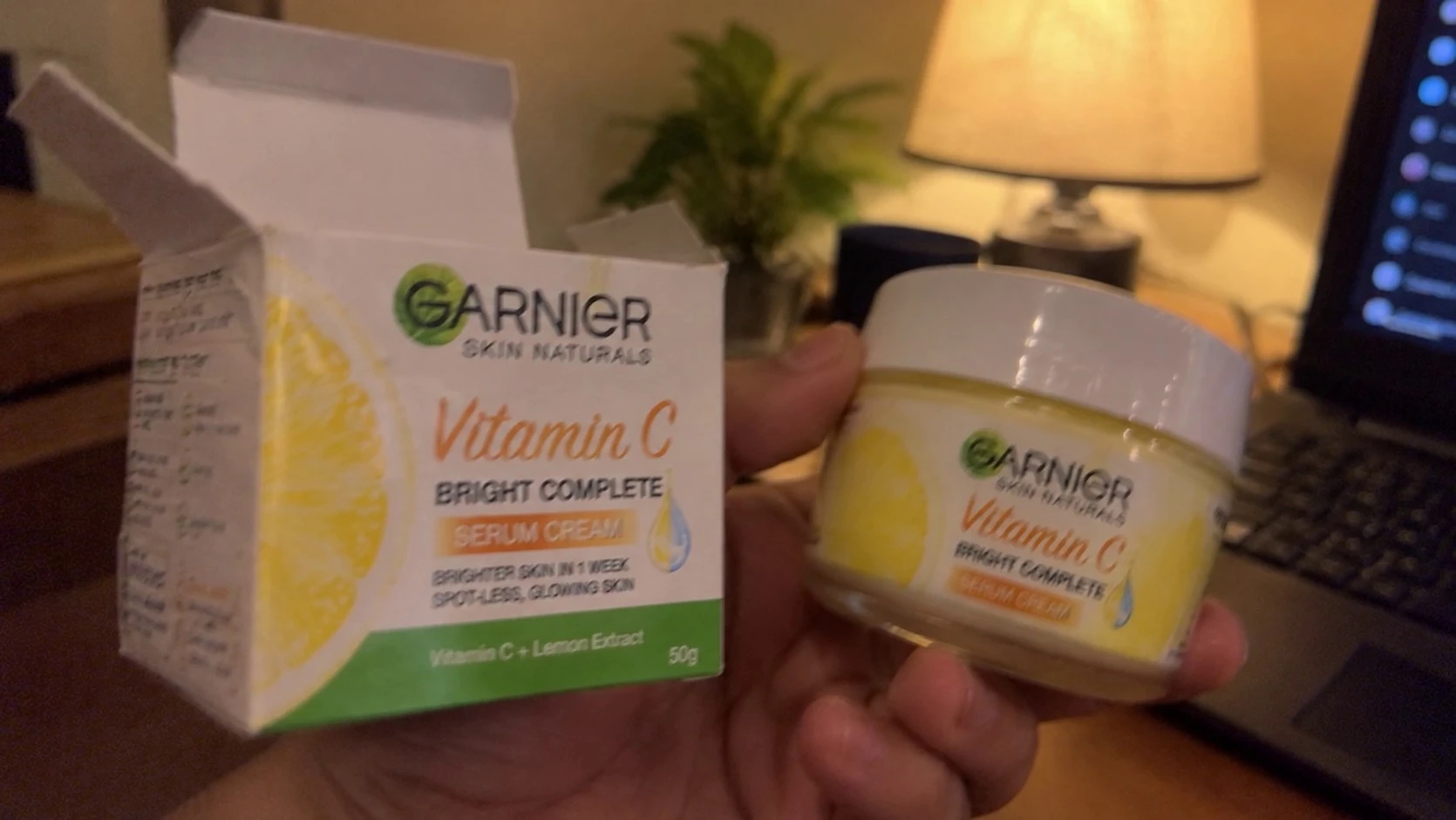
The test clip was a 15-second demo of a Garnier Vitamin C serum cream, the box in one hand and the jar in the other, lit by a single table lamp. The original was 1670×940 and looked fine on a phone but soft on a bigger screen.
Step 3: Enhance the Clip
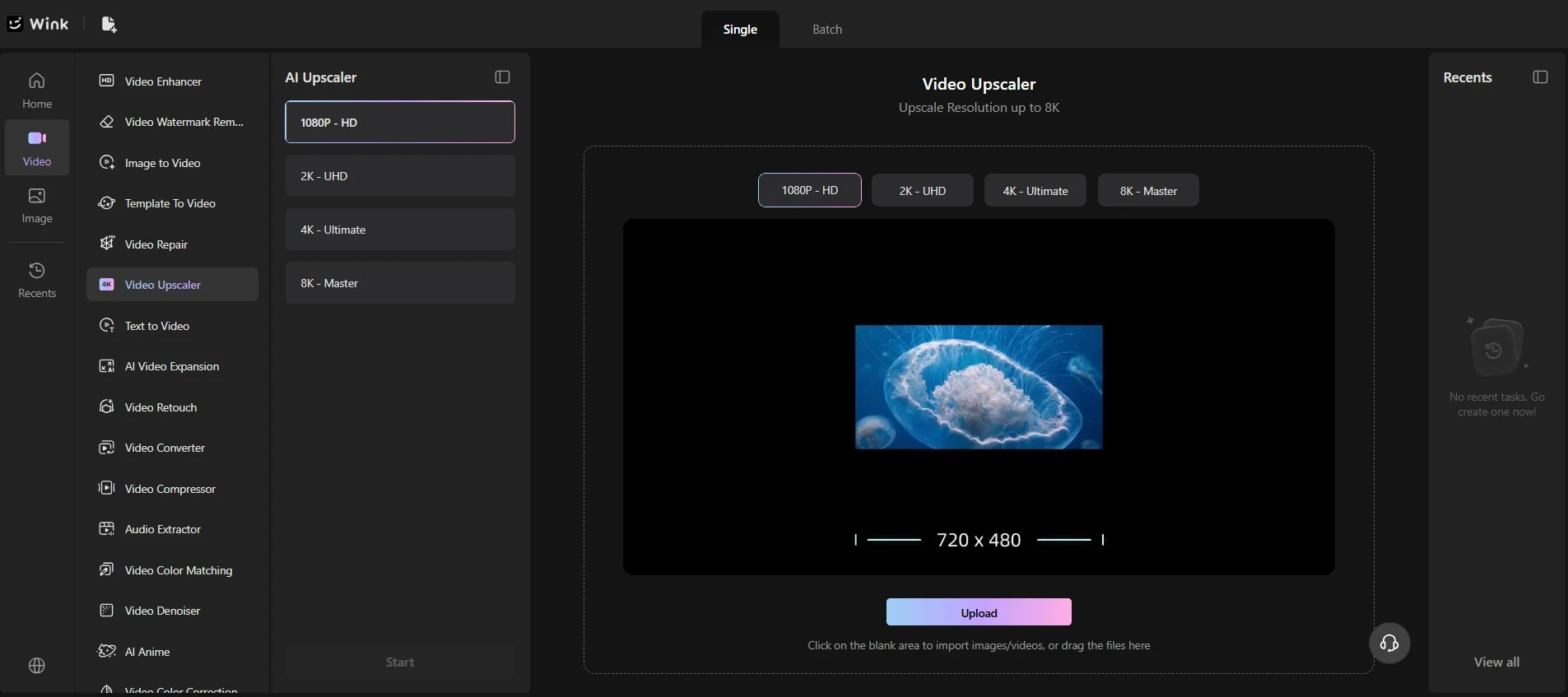
To convert product videos to HD, you upload the file, pick a level and hit Start. Wink gives four options: 1080p HD, 2K UHD, 4K Ultimate and 8K Master. There are no sliders to fiddle with, the tool reads the clip and sets everything itself. 1080p was the pick here, since that’s plenty for a Shopify product page and most shoppers watch on their phones anyway. Selling something people zoom in on, like fabric, stitching or a tiny ingredient list? Go a level or two higher, 4K or even 8K, so there’s more detail to zoom into.
Once you hit Start, Wink does the heavy lifting by itself. It upscales the clip, cleans out grain and noise, firms up texture and sorts the colour, and it doesn’t make the motion look weird or plasticky. You don’t have to do anything else.
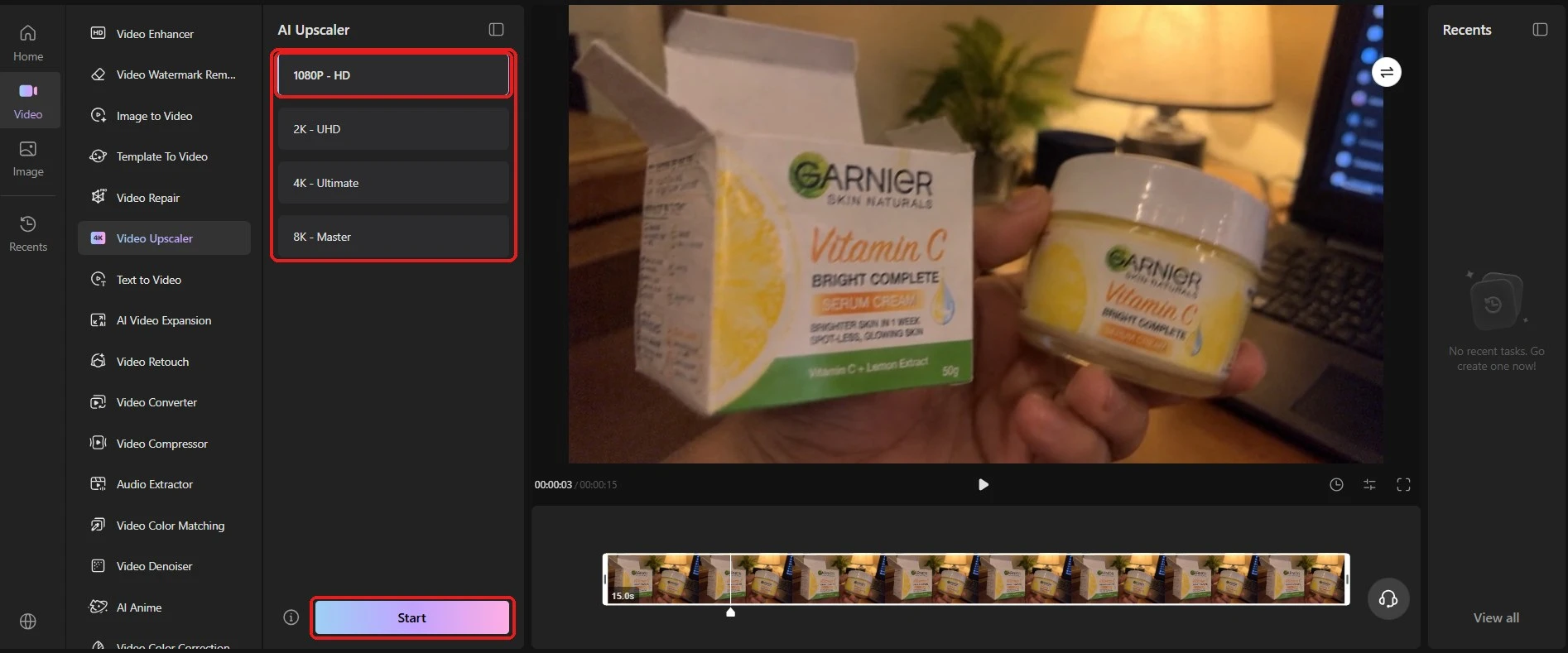
It was done in about four seconds. The finished file came back at a full 1920×1080, ready to download.
What Improved
With product videos, shoppers look at specific things, so each one got checked one at a time using the compare slider in Wink’s preview:
- Label text: the big “Vitamin C” and the Garnier name looked crisp, and the letter edges were smoother than in the old file.
- Packaging edges: box corners and the rim of the jar lid came out neater and better defined. Small thing, but the whole shot feels more polished for it.
- Texture: the matte card on the box and the shiny lid still looked like card and plastic. Nothing went waxy or crunchy, which is what you want on a product page.
- Colour: no shift at all in the yellow, orange and green. Held up next to the real box, the enhanced video matched it.
- Overall look: no halos or waxy patches anywhere. It just looks like a better-shot version of the same video.
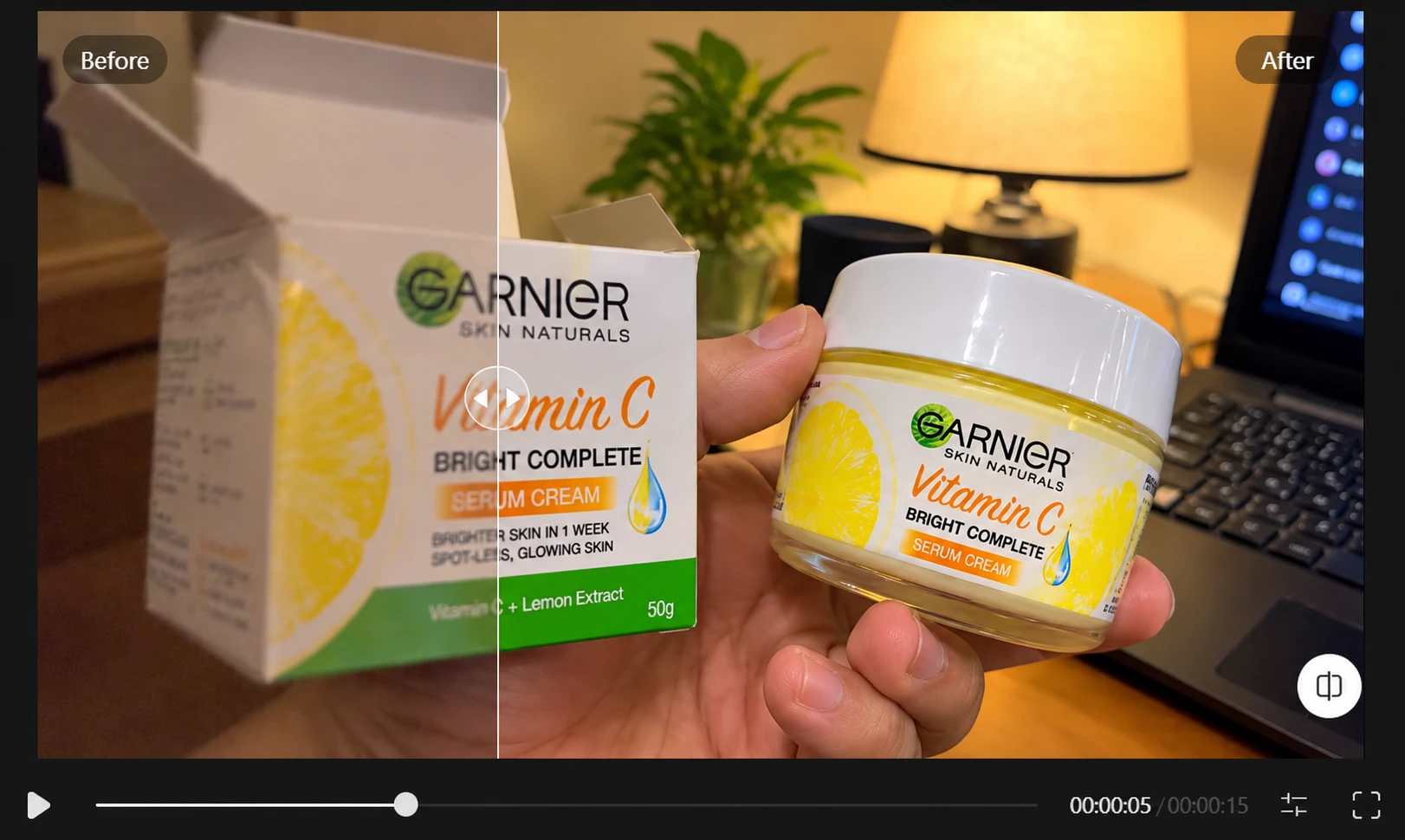
That colour point is worth a second mention. Some enhancers push saturation to make things “pop”, and then the product arrives looking duller than the video. Wink kept the colours honest, so what the shopper sees is what lands on their doorstep.
And that’s the same old clip. No reshoot, no studio, nothing.
Step 4: Make a Version for Each Place It Lives
A lot of stores stop at the first export, then wonder why the clip looks odd on the site. Every platform crops and squeezes things its own way. So take the enhanced master from Wink and cut a few versions out of it.
Shopify product page: keep the whole demo and leave the colours alone. Square or 4:5 tends to sit better in most themes than a wide frame, with the product in the middle and no black bars. Keep the file on the lighter side so the page doesn’t drag. Somebody on that page is already half ready to buy. They just want a proper look at the real thing. Grab a frame or two for the gallery while you’re at it.
Instagram, TikTok Shop, Shorts: go tall, 9:16 at 1080×1920. Zoom in so the product fills most of the frame, and cut it down to the best few seconds. Scrollers decide fast, so the good bit should come first. Something that came up in this test, put the label dead centre, since the tall crop chops off the edges.
One clip from Wink, a few different cuts. Platforms do change their limits now and then, so check the current numbers before exporting.
Then upload and look at each one where customers will. Posted as a Reel and scrolled to on a phone, like a normal shopper would, the enhanced clip held up well after Instagram’s compression, with “Bright Complete” and the 50 g still sharp and easy to read.
Final Thoughts
Before anything goes live, it’s worth one last look with the real product in your hand. That’s the whole check, really, and in this test the colours and label matched.
That old folder of product videos is probably worth more than you think. Dig through it, hang on to the good ones, clean them up, and cut a version for the store and one for social. Here, a soft 15-second clip went into Wink and roughly four seconds later came out as a crisp 1080p file. Cleaner label, neater edges, and the colours matched the actual box. And because it runs in the browser, in the app and on desktop, it fits however your team works. If you’ve got a campaign coming and no budget for a reshoot, Wink’s worth a bookmark. Upload, pick a level, done in minutes.

