

Have you ever sent a message on Facebook Messenger, only to stare at the small icon underneath, wondering what it means?
You’re not alone. Understanding the difference between “sent” and “delivered” can clear up confusion and tell you if your message has successfully reached its destination.
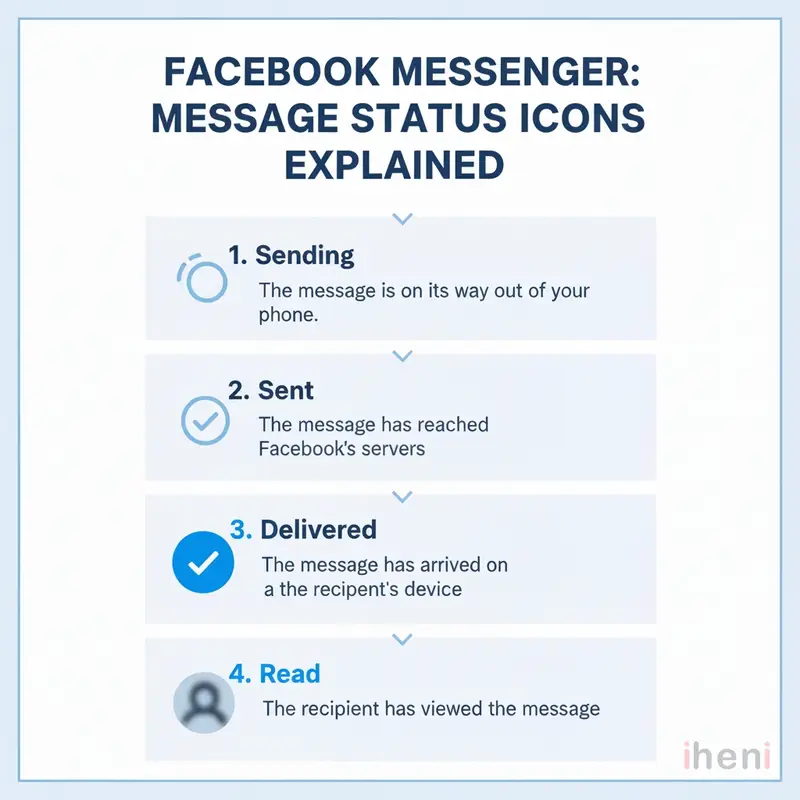
Sent means your message has left your device and reached Facebook’s servers. Delivered means the message has successfully arrived on the recipient’s device.
Knowing this distinction helps you troubleshoot communication issues and gives you peace of mind. In this guide, we’ll explain what each status means, how Messenger’s system works, and what to do when your messages get stuck.
Key Takeaways
- Sent means your message has left your device but hasn’t reached the recipient’s yet.
- Delivered means your message has arrived on the recipient’s device, but they haven’t necessarily seen it.
- A message that stays on “sent” for a long time could indicate a poor internet connection, that the recipient is offline, or that you might be blocked.
- Status icons on Messenger provide valuable information about your message’s journey.
Sent vs. Delivered: The Core Differences
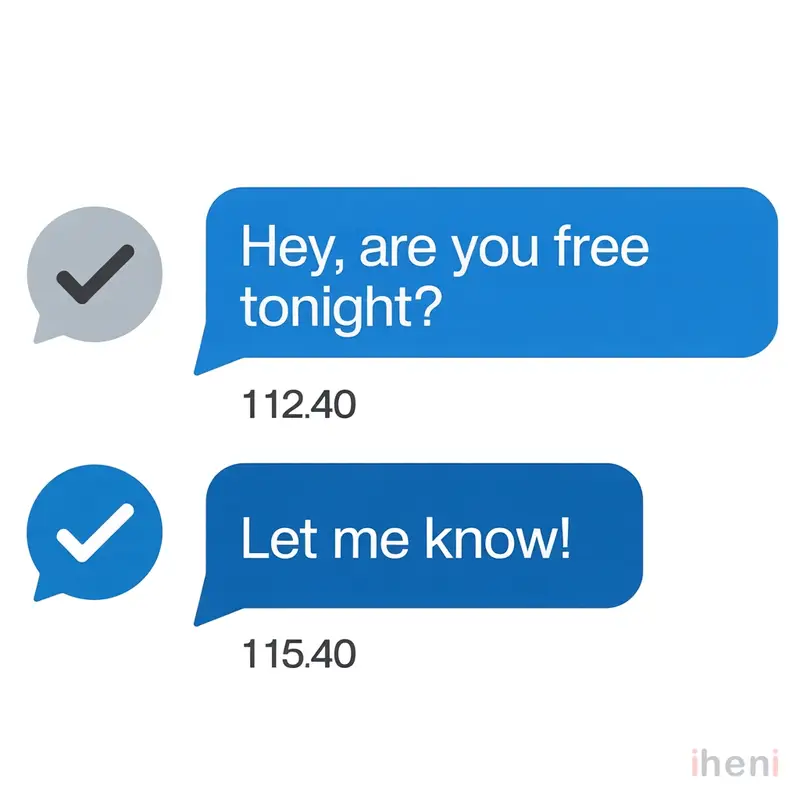
When you send a message on Messenger, it goes through a few stages. The first is “sent,” which confirms Facebook has received your message and is processing it for delivery. However, a “sent” message hasn’t necessarily reached the recipient’s phone or computer yet.
Here’s a quick breakdown of the differences:
| Feature | Sent | Delivered |
|---|---|---|
| Icon | Unfilled blue circle with a checkmark (○ ✓) | Filled blue circle with a checkmark (● ✓) |
| Meaning | Your message has reached Facebook’s servers. | Your message has arrived on the recipient’s device. |
| Can the recipient read it? | Not yet. It’s still in transit. | Yes, it’s available on their device. |
| Recipient must be online? | No | Yes, at the time of delivery. |
| Have they seen it? | No | Not necessarily. That’s a different status. |
This system gives you a clear view of your message’s progress, from leaving your phone to arriving on the other side.
How Facebook Messenger’s Status Icons Work
Facebook Messenger uses a sequence of visual cues to show what’s happening with your messages. Each icon represents a specific stage in the communication process.
Here are the four stages you’ll see:
- Sending: A plain blue circle appears while your message is in the process of being sent from your device.
- Sent: An unfilled blue circle with a white checkmark (○ ✓) indicates your message has successfully left your device and reached Facebook’s servers.
- Delivered: A filled blue circle with a white checkmark (● ✓) confirms the message has arrived on the recipient’s device.
- Read/Seen: A small version of the recipient’s profile picture appears next to the message, showing they have opened the conversation and viewed it.
By checking the icon below your message, you can instantly know its current status. This process removes the guesswork and tells you exactly where your message is at any given moment.
Why Is My Message Sent but Not Delivered?
It can be frustrating when your message gets stuck on “sent.” This usually means something is preventing it from reaching the recipient’s device.
Several common reasons for this include:
- The recipient is offline: Their device might be turned off, in airplane mode, or without an internet connection. The message will be delivered once they’re back online.
- Poor internet connection: A weak or unstable Wi-Fi or data connection (on either your end or the recipient’s) can interrupt the delivery process.
- You may have been blocked: If a recipient blocks you on Messenger, your messages will remain as “sent” and will never be delivered.
- The message is in their “Message Requests”: If you’re not friends on Facebook, your message might land in their “Message Requests” folder instead of their main inbox. It will only be marked as “delivered” if they accept the request.
- The recipient’s account is deactivated: If the person has deactivated their Facebook or Messenger account, they cannot receive messages until they reactivate it.
In most cases, a “sent” message is simply waiting for the recipient to come back online. However, if the status doesn’t change for a long time, it could point to one of the other issues listed above.
Sent vs. Delivered on Other Messaging Apps
While the concepts are similar, different messaging apps use their own unique icons to show message statuses. Understanding these variations can help you navigate conversations across platforms.
Here’s a comparison of how different apps handle sent, delivered, and read receipts:
| App | Sent | Delivered | Read/Seen |
|---|---|---|---|
| Facebook Messenger | Unfilled blue circle with a checkmark (○ ✓) | Filled blue circle with a checkmark (● ✓) | Recipient’s profile picture |
| Single gray checkmark (✓) | Double gray checkmarks (✓✓) | Double blue checkmarks (✓✓) | |
| iMessage | No specific indicator (message just appears) | “Delivered” text appears below the message | “Read” text appears with a timestamp |
| Instagram DM | Outlined circle | Filled circle | “Seen” text appears |
| Standard SMS/Text | Message appears in chat | “Delivered” text (if reports are enabled) | Not available |
As you can see, WhatsApp’s double-check system is widely recognized, while iMessage relies on text-based confirmations. Each platform provides a way to track your message, but the symbols vary.
Your Next Steps
Understanding the difference between “sent” and “delivered” on Messenger helps demystify the messaging process.
A “sent” status means your message is on its way, while “delivered” confirms it has arrived. If a message gets stuck, checking your connection or considering if you’ve been blocked can help you figure out what’s going on.
With this knowledge, you can communicate with more confidence and clarity, knowing exactly what those little icons mean.
Frequently Asked Questions
What does it mean if a text message is sent but not delivered?
If a message is “sent” but not “delivered,” it means the message left your device but hasn’t reached the recipient’s. This could be because their device is off, they have no network connection, or your number might be blocked.
Why do some messages say sent and some say delivered?
This depends on the message’s status. “Sent” means it has reached Facebook’s servers. “Delivered” means it has successfully arrived on the recipient’s device. All messages start as “sent” and then, if successful, change to “delivered.”
How do you tell if you’re blocked on Messenger?
There’s no single notification, but a combination of signs can suggest you’re blocked. Your messages will remain “sent” and never show as “delivered.” You also won’t be able to see their “last active” status or make voice/video calls to them.
Which is better, sent or delivered?
“Delivered” is better because it confirms your message has successfully reached the recipient’s device. “Sent” only confirms that the message has left your device, not that it has arrived.
Why are my messages not delivering?
Your messages might not be delivering due to a poor internet connection (on your end or the recipient’s), the recipient’s phone being off, or the possibility that you have been blocked. App glitches or Facebook server issues can also occasionally cause delays.

